Paid Media Automation: What Agencies Should Automate First
A practical framework for paid media agencies deciding which campaign monitoring, reporting, launch, and optimization workflows to automate first.

Paid media automation works best when it starts with repeatable operational work, not strategic judgment.
Agencies often jump straight to the question: "Can AI optimize campaigns for us?" That is useful, but it is not always the first place to automate. The fastest gains usually come from work that is frequent, structured, and time-consuming.
This article breaks down the areas agencies should automate first.
1. Campaign Health Monitoring
Every paid media team checks campaign health. The problem is that the work is repetitive and easy to miss when the account list grows.
Automate monitoring for:
- Budget pacing
- Spend spikes
- Conversion drops
- CPA or ROAS swings
- Ad fatigue indicators
- Broken or underperforming campaigns
- Sudden account changes
Automation should not just show metrics. It should tell the team which account needs attention and why.
2. Budget Pacing Reviews
Budget questions create constant operational drag. Account managers need to know whether a client is on track, overspending, underspending, or about to miss a target.
Paid media automation can help by:
- Comparing actual spend to planned spend
- Flagging campaigns that pace too quickly
- Highlighting underdelivery
- Supporting weekly budget reviews
- Documenting what changed
This keeps budget management from becoming a daily spreadsheet exercise.
3. Reporting Preparation
Reporting is one of the best early automation targets because it is structured and repeated across clients.
Automate the first draft of:
- Performance summaries
- Campaign change notes
- Anomaly explanations
- Channel-level observations
- Recommended next steps
The team should still review the final report. Automation removes assembly work and gives account managers a stronger starting point.
4. Launch QA
Campaign launches involve many small checks. Missing one can create wasted spend, client confusion, or rework.
Useful launch automation includes:
- Asset readiness checks
- Naming convention checks
- Destination URL review
- Budget and schedule review
- Campaign objective review
- Approval status tracking
Automation helps agencies standardize launches across teams and clients.
5. Optimization Queues
Optimization should be prioritized. Not every campaign movement deserves immediate attention.
Automation can help by ranking work based on:
- Spend impact
- Performance movement
- Client priority
- Budget risk
- Time sensitivity
- Confidence in the recommendation
This turns paid media management into a queue of decisions instead of a daily search through platform dashboards.
6. Client Communication Notes
Many client questions repeat:
- "Why did spend change?"
- "What happened this week?"
- "Which ads are working?"
- "What are you changing next?"
Automation can prepare clear explanations from campaign data, recent changes, and client context. Account managers can then edit the language before sending it.
What Not to Automate First
Avoid starting with work that still requires heavy strategic interpretation unless your team has strong guardrails.
Examples include:
- Major positioning changes
- Budget strategy across channels
- New offer strategy
- Creative direction without human review
- Client-sensitive recommendations
These areas can be AI-assisted, but they should remain human-led.
A Practical First 30 Days
For most agencies, the first month of automation should focus on:
- Campaign monitoring alerts
- Budget pacing checks
- Report draft generation
- Launch QA support
- Optimization recommendations with approval
That combination reduces manual overhead without creating unnecessary risk.
Where Effective Ads Fits
Effective Ads is designed around the operational layer of paid media work. It helps agencies monitor campaigns, identify issues, prepare reports, coordinate launches, and turn campaign signals into reviewed actions.
The result is not fully hands-off advertising. It is a stronger operating system for agencies that need to manage more clients without losing visibility.
Related Posts
How to Choose AI Campaign Management Software for an Agency
A practical guide to evaluating AI campaign management software for paid media agencies, including monitoring, approvals, reporting, and multi-client workflows.
Read more
White-Label Client Reporting: What Paid Media Agencies Need Beyond Dashboards
Learn what makes white-label client reporting useful for agencies, including written analysis, campaign context, branding, and recurring reporting workflows.
Read more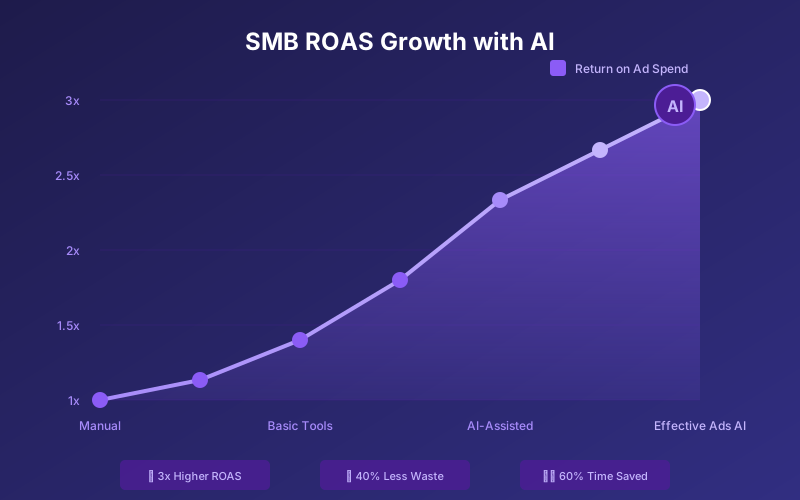
Why Agencies Are Driving 3x Higher ROAS with AI Advertising in 2026
How marketing agencies and advertisers use AI-powered tools like Effective Ads AI to lift client ROAS, cut wasted spend, and manage more accounts without adding headcount.
Read more